Sky Enterprise Pro is modern block-based theme where you can build your own unique looking website by using WordPress Blocks Editor. Sky Enterprise is a multipurpose block based free theme, the theme is built in accordance of Full Site Editing features introduced in WordPress 5.9, which means that all the aspects including colors, typography, and the layout of every single page on your site can be customized to suit your need. The true efficiency of Sky Enterprise Theme lies in its customizability. With strong typography, and simple design, we want to achieve unique look for every website. You can create. A single-page website, a blog, a Base website, a portfolio, a construction site, or an education site.
Pro adds
One-click starter sites
Counters, typing headline, countdown, carousel, tabs, accordion, mega menu
Sticky / shrinking / transparent header, dark mode switch
Sky Enterprise is modern block-based theme where you can build your own unique looking website by using WordPress Blocks Editor. Sky Enterprise is a multipurpose block based free theme, the theme is built in accordance of Full Site Editing features introduced in WordPress 5.9, which means that all the aspects including colors, typography, and the layout of every single page on your site can be customized to suit your need. The true efficiency of Sky Enterprise Theme lies in its customizability. With strong typography, and simple design, we want to achieve unique look for every website. You can create. A single-page website, a blog, a Base website, a portfolio, a construction site, or an education site.
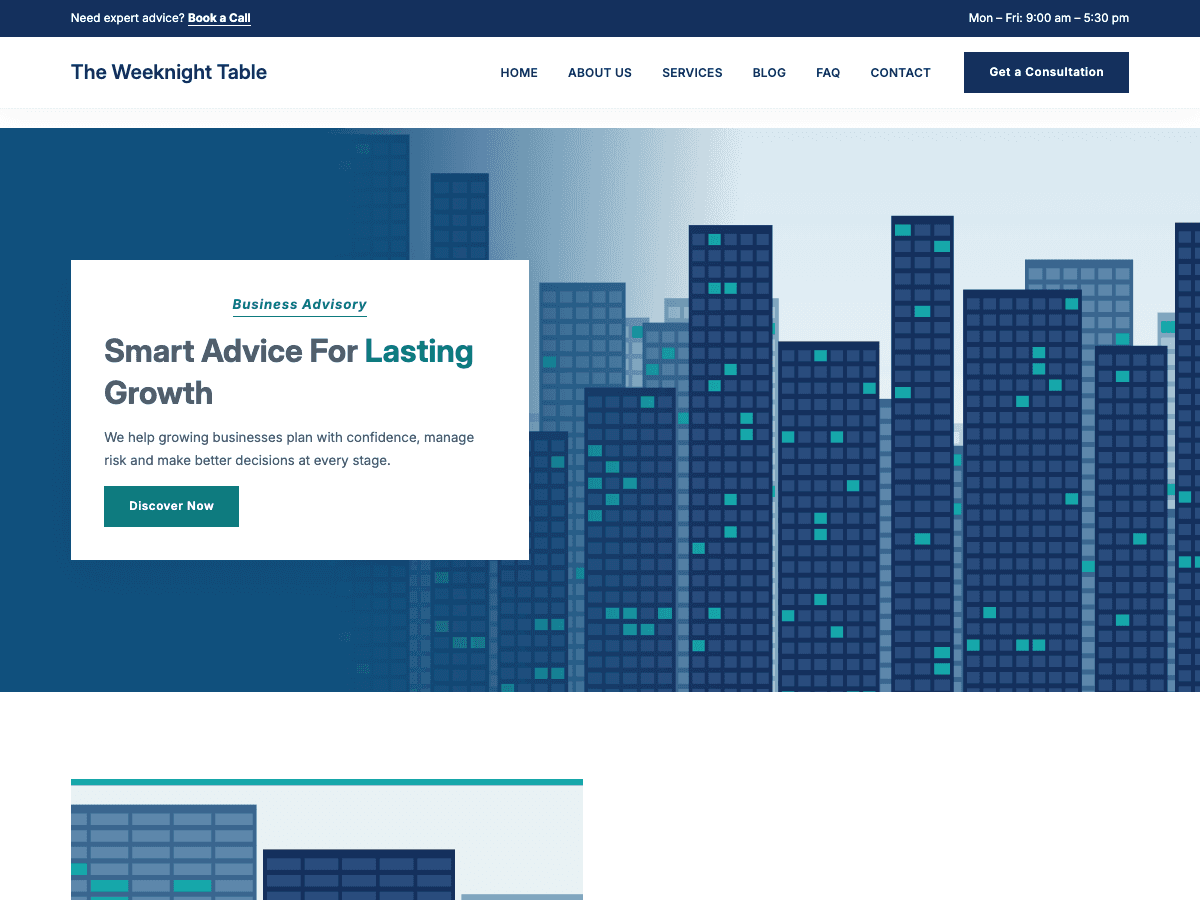
Pixlora Starter is a WordPress block theme for consulting, finance, accounting and agency websites that need to look established and trustworthy. It pairs a navy-and-teal palette with Inter typography, square corners, photo-led heroes and alternating white and deep-navy sections. Everything can be edited in the Site Editor. Colours, fonts, spacing and layout are managed in theme.json, with type and spacing that scale smoothly from phones to wide screens. The bundled Inter font loads locally for speed and privacy. The theme includes templates for the front page, blog, archives, search, single posts with a sidebar, pages and 404 errors, plus an editable header and footer. A library of ready-made patterns covers heroes, page headers, about and founder sections, services, process steps, a "why choose us" band, team, client logos, case studies, online consultations, calls to action, contact details with a map, latest posts and a coming soon page. Custom Eyebrow and Checklist block styles add polish. Blog cards show a theme illustration when a post has no featured image. Pixlora Starter has visible focus styles, respects reduced-motion settings, loads no jQuery and is translation ready.
Build your whole website with the free Elementor. No Elementor Pro needed. Pixlora Elements Pro turns the free Elementor into a complete site builder. You get a theme builder, 226 ready-made designs, 6 one-click site kits, 53 widgets, popups, mega menus, a form builder, dynamic content, a WooCommerce builder and Pixlora AI, which builds and edits pages from a plain-English description. Why Pixlora Elements Pro? One plugin instead of five. Theme builder, popups, forms, mega menus and WooCommerce templates all live in one lightweight plugin, inside the Elementor editor you already know. Start from a finished design, not a blank page. Insert a full page, section, header or footer in one click, or import a complete site kit with pages, menu, colours and fonts already set. Build faster with AI. Describe what you want and Pixlora AI builds it live in the editor. Use your own API key or a local model. Works with your theme. Works with classic themes, block themes such as Twenty Twenty-Five, and Hello Elementor. Theme Builder: design every part of your site Replace your theme's header and footer, and design how every post, page, archive, search results page and 404 page looks. Each template type has its own tab with live previews. "Add New" opens the new template straight in Elementor. You can duplicate, trash and restore templates from the same screen. Template types: Header, Footer, Single Post, Single Page, Archive, Search Results and 404. Pro adds Popup, Mega Menu, Loop Item and Custom Location, plus Single Product, Product Archive, Cart, Checkout and My Account when WooCommerce is active. Display conditions: show a template on the entire site, the front page, the blog, any post type or its archive, search results or the 404 page. When several templates match a page, the most specific one wins. Advanced display rules: include or exclude specific posts, child pages, terms, authors, page templates and post formats. You can also target visitors by login state, user role, date range, day and time, or URL parameter. Sticky, transparent and shrinking headers that make the most of hero images and stay in reach as visitors scroll. Custom Locations: place a template right after <body>, before or after post content, before the footer, or on any WordPress action hook. 226 ready-made designs and 6 one-click site kits Click Pixlora Presets in the Elementor editor to browse full pages, sections, headers, footers, and single, archive, search and 404 layouts. Every design has a live preview and is ready to edit. Free photos (CC0) are bundled and load from your own site, so designs look finished straight away. Site kits build a complete starter site in one click. Each kit sets up the pages, header, footer, blog templates, navigation menu, global colours and typography: Creative Agency: case-study home, services, work, about and contact. Fitness Club: classes, memberships, coaches and a free-trial call to action. Law Firm: practice areas, FAQ, team and consultation requests. Real Estate Agency: featured listings, valuation requests and agents. Restaurant: menu highlights, a tasting-menu page, story and reservations. SaaS Product: launch page, features, pricing, about and contact. Pixlora AI: describe it, and it gets built AI page builder chat inside Elementor. Ask for a new hero, a pricing section or "make it darker", and watch the changes appear live. Every change is checked for structure, accessibility and contrast, and nothing is deleted without your approval. AI Site Builder: enter a short brief (business, pages, tone, colours, font) and get draft pages plus a header and footer. AI text actions on any text field: rewrite, shorten, expand, fix grammar, change the tone or translate. AI images saved straight to your Media Library, with the prompt used as alt text. AI SEO titles and meta descriptions, saved to Yoast SEO, Rank Math or SEOPress. Snapshots: the page is saved before every AI request, so you can restore it at any time. Your choice of AI provider: OpenAI, OpenRouter, Groq, Mistral, Together AI or any OpenAI-compatible API, or a model running on your own computer with Ollama or LM Studio. Nothing is sent until you set it up. 53 widgets Site building: Site Logo, Nav Menu (with mobile menu and mega menu panels), Off-Canvas, Social Icons, Copyright, Button, Link List, Search Form (with live search) and Breadcrumbs. Content: Posts (6 layouts), Portfolio (4 layouts with filters and lightbox), Slider, Loop Grid, Advanced Tabs, Advanced Accordion, Pricing Table, Team Member, Testimonial Carousel, Countdown, Before/After, Lottie, Table of Contents and Form. Blog and theme builder: Post Title, Post Content, Post Excerpt, Featured Image, Post Meta, Post Comments, Archive Title, Archive Posts, Author Box, Post Navigation, Related Posts and Reading Progress. WooCommerce (18 widgets): Products, Product Grid, Product Title, Images, Price, Rating, Stock, Meta, Short Description, Add to Cart, Data Tabs, Related Products, Cart, Checkout, Mini Cart, My Account, Shop Notices and more. Dynamic content, forms and popups 34 dynamic tags for post, archive, author, site, user, date, shortcode and request data, plus ACF and Meta Box fields. Loop Grid with your own card design, plus load more and infinite scroll for the Posts, Portfolio, Archive Posts and Loop Grid widgets. Form builder with text, email, phone, number, date, select, radio, checkbox, acceptance and hidden fields. Submissions are saved (with CSV export) and can trigger email notifications, webhooks and redirects. A honeypot blocks spam. Popups that open on page load, after a delay, on scroll, on exit intent, on click or after inactivity, with frequency limits and the same display rules as templates. Superpowers for every element Every widget, container, section and column gets custom CSS, display conditions (login state, role, date, URL parameter or WooCommerce cart), sticky positioning per device, parallax and tilt motion effects, a wrapper link that makes the whole element clickable, and a glass effect. Built for agencies White label: rename the plugin, the menu, the widget category and the AI assistant, and hide licensing menus. Role manager: choose which roles can use AI, manage templates or open settings. Template export and import as JSON, to move designs between client sites. Cleaner editor: hides the Elementor Pro promotions and locked widgets from the free Elementor panel. Free vs Pro, in plain words Pixlora Elements (free, on WordPress.org) is a real, complete theme builder, not a demo. It includes all 7 core template types with display conditions, the template gallery, 18 widgets, 80 ready-made designs and bundled photos. Everything in the free version stays free. Pixlora Elements Pro adds everything you need for client-ready sites: 146 more designs (226 in total) and 6 one-click site kits 35 more widgets (53 in total), including 18 for WooCommerce Pixlora AI, popups, mega menus and sticky headers Advanced display rules, dynamic tags, Loop Grid, forms and element extensions Agency tools: white label, role manager, and template export and import In the free version, Pro designs are shown with a "Pro" badge, so you can preview exactly what you get before upgrading. When you activate Pro, your free templates and settings are kept, and the extra features appear right away. Requirements WordPress 6.5 or later, PHP 7.4 or later The free Elementor plugin (3.5 or later) WooCommerce, only for the shop builder Licensing and updates are handled by Freemius. Your templates stay saved if you deactivate the plugin. Every string is translation-ready. Pixlora Elements is an independent project. It is not affiliated with, endorsed by or sponsored by Elementor Ltd.
Build a polished business website in the WordPress block editor, no page builder needed. Pixlora Blocks gives you 29 corporate-style blocks and 48 ready-made sections in a clean navy and teal design. Pick a section, swap in your text and publish. Why businesses choose Pixlora Blocks Launch faster: insert whole sections (hero, services, pricing, team, FAQ, footer) in one click instead of designing from scratch. Looks professional by default: every block and section shares one consistent corporate style, so pages always match. Stays fast: blocks render on the server and load their CSS and JavaScript only on pages that use them. Private and self-contained: artwork, icons and the Inter font ship with the plugin. Nothing loads from a CDN or outside service. 48 sections, one click away Click the Pixlora Patterns button in the editor toolbar to open the pattern library. Search, filter by category, see live previews and click to insert. You can also drop a Pattern Library block anywhere on the page, and the section you pick takes its place. Headers and heroes: header with navigation, photo panel, centred, split, slider and video heroes, page title About: about sections, mission and vision, company history, client logos Services and features: cards, icon grid, zigzag, dark cards, tabs, feature checklists Process and numbers: steps, accordion process, stats bands, skill bars People: team grids, testimonials, careers Conversion: pricing tables, FAQs, call-to-action bands, contact strips Content and contact: blog grid and carousel, case studies, gallery, contact sections Footers and utility pages: three footers, 404 and coming soon 29 blocks in their own Pixlora category Every block uses the same navy and teal look and adapts to dark bands automatically. Business: Pricing Table with a featured plan, Team Member, Testimonial with star rating, animated Counter, Progress Bar, vertical Timeline Interactive: full-width hero Slider (autoplay, loop, arrows, dots), Tabs, Accordion Navigation: Menu with drop-downs, Mega Menu panels and a mobile toggle Posts: Post Grid and Post Carousel with image, meta, excerpt and a Know More link Content: Section Heading, Button, Image With Quote Card, Gallery with lightbox, Call To Action, Icon Box / Service Card Layout and text: Section, Container, Columns, Heading with teal highlight, Text, List, Icon, Buttons, Social Icons, Spacer Good to know The sections are built from Pixlora blocks. If you deactivate the plugin, that content is hidden; turn it back on and it returns unchanged. Works with the standard WordPress block editor. No Elementor or other page builder required. Requirements WordPress 6.5 or later PHP 7.4 or later
Build your entire website in the free Elementor, including the header, footer, blog and 404 page. No Elementor Pro needed. Pixlora Elements gives you 18 polished widgets, a full theme builder, 200+ ready-made designs and an optional AI assistant that builds pages for you. Why site builders choose Pixlora Elements Save the cost of Elementor Pro. Design custom headers, footers, single posts, pages, archives, search results and 404 pages with the free version of Elementor. Launch in an afternoon, not a week. Insert a complete restaurant, law firm, SaaS, travel or fitness page in one click, then change the text and photos. Look professional by default. Every widget ships with a modern navy & teal Corporate style, or switch to Classic to match your theme. Let AI do the heavy lifting. Type "make a homepage for my café" and watch the page build itself inside Elementor. Hero sliders that stop the scroll Three slider styles: floating panel, navy overlay and split navy. Choose slide or fade transitions, autoplay with a pause button, progress bars or dots, a slide counter and a slow Ken Burns zoom. Autoplay turns off automatically for visitors who prefer reduced motion. A blog that looks like a magazine One Posts widget, six layouts: classic grid, side-image list, masonry, image overlay, magazine and timeline. Pick a layout and your latest posts appear instantly. A portfolio that sells your work Show projects in a classic grid, hover overlay, masonry or metro layout. Visitors can filter by category with tabs in five styles. Design every part of your site Under Pixlora Templates, build a header, footer, single post, single page, archive, search or 404 template, then choose where it appears: the entire site, the front page, the blog, a post type's posts or archive, search results or the 404 page. Theme widgets such as Post Title, Featured Image, Post Meta, Post Content, Comments and Archive Posts fill in the right content automatically. 200+ designs, one click away 55 full pages and 45 sections 16 designs each for headers, footers, single posts, single pages, archives, search results and 404 pages 30 royalty-free (CC0) photos included. Everything loads from your own site, with no external account. Pixlora AI: describe it, watch it build Describe a page or a change in plain words. Pixlora AI plans the work, then adds, edits, moves, duplicates or removes elements step by step in the Elementor editor. It finds suitable photos and remembers preferences such as your brand colours. Use OpenAI, OpenRouter, Groq, Mistral, Together AI or any OpenAI-compatible service, or run AI privately on your own computer with Ollama or LM Studio. Off until an administrator turns it on. No visitor data is ever collected. Also included Site Logo, Nav Menu, Social Icons, Copyright, Button, Link List and Search Form widgets, so your header and footer are done in minutes. Requirements WordPress 6.5 or later PHP 7.4 or later Elementor 3.5 or later (the free version works)